Silent Nine
Install on your phone
Scan the QR code with your phone’s camera to open this installation page.
- Open the link on your phone.
- Follow the iPhone/iPad or Android instructions shown there.
- Add Silent Nine to your Home Screen.

Scan with your phone’s camera
Scan the QR code or open this page on your phone.
Tap the button below to install Silent Nine and add it to your Home Screen.
Install on iPhone or iPad:
-
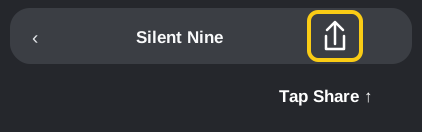
1. Tap Share
-
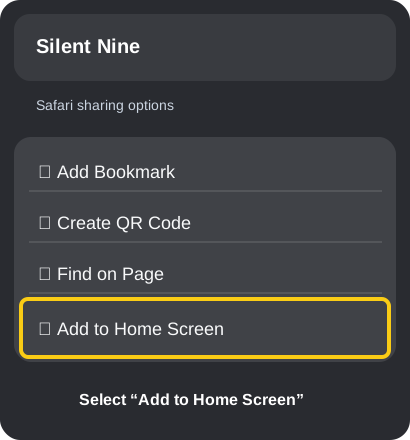
2. Select “Add to Home Screen”
-
3. Tap “Add”
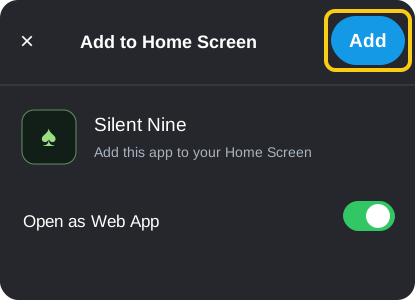
Done! Silent Nine is on your Home Screen.
Having trouble? Open this link in Safari.
Install on Android:
Open this link in Chrome, tap the ⋮ menu in the top-right corner, then choose Install app or Add to Home screen.